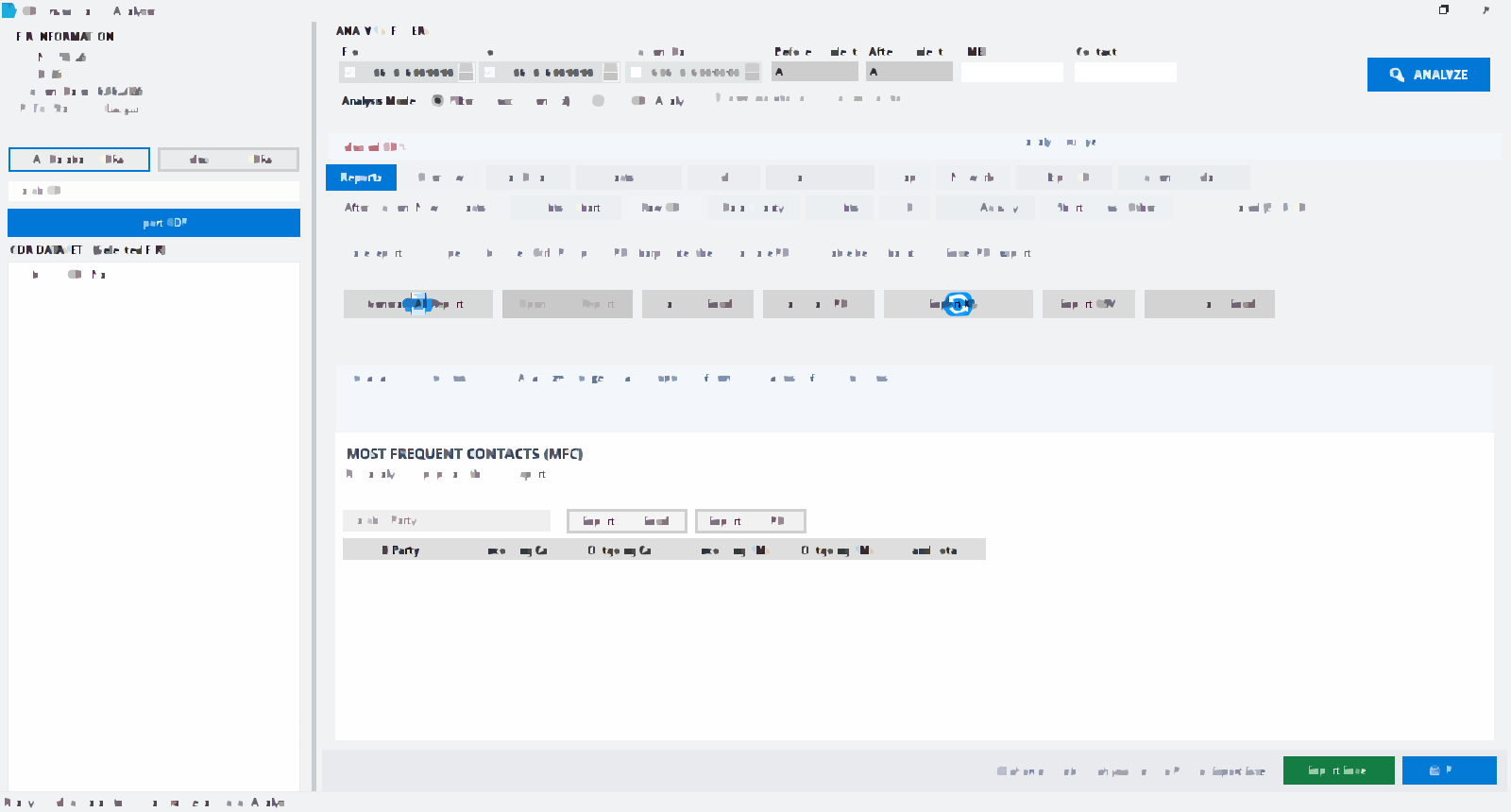

CDR Analyzer is a Windows application by HR Solutions for Call Detail Record investigation. It is separate from Missal Police Writing (MPW). Use it when you already have operator Excel or CSV files (Jazz, Telenor, Zong, or Ufone) and need contacts, cell sites, IMEI views, and a report for the file. A download here is the installer, not a free operator PDF. What CDR means: What is CDR in Pakistan?. Software: Download CDR Analyzer.
Last updated: September 2026
Watch: All about CDR Analyzer دیکھیں: CDR Analyzer کے بارے میں سب
This video walks through CDR Analyzer for investigation work in Pakistan. Press play when you are ready. After the video, follow the written workflow: prepare files, import, analyze, then export.
Investigation workflow تفتیش workflow
CDR Analyzer is a tool. You remain responsible for lawful access to CDR files and how results are used. A practical order of work is:
- Collect operator exports you are authorised to handle (often Excel or CSV from Telenor, Jazz, Zong, or Ufone).
- Name files by subject and FIR so you do not mix datasets.
- Import one subject at a time with the matching operator profile.
- Check that dates, numbers, and cell columns look complete.
- Run Most Frequent Contacts, Most Frequent Locations, IMEI, and timeline views around the incident window.
- If you have more than one subject, compare shared contacts, devices, or towers.
- Export reports you need for the file. Sign out of the mobile app does not delete local Windows data.
1. Install CDR Analyzer 1. CDR Analyzer انسٹال کریں
- Go to the Download page.
- Download CDR Analyzer from the Download page (the.rar button).
- Extract the RAR with WinRAR or 7-Zip.
- Run the installer. It installs under Program Files\CDR.
Full feature overview: CDR Analyzer page.
2. Prepare your CDR files 2. اپنی CDR فائلیں تیار کریں
Operator CDR files are usually Excel, CSV, or similar exports. Keep each subject’s file organized with a clear name (for example, subject number and FIR number). CDR Analyzer includes operator profiles for common Pakistani networks such as Telenor, Jazz, Zong, and Ufone. Try header names in the column mapper demo.
Sample only — not a real subscriber صرف نمونہ — حقیقی سبسکرائبر نہیں
One teaching row for Jazz CDR / Telenor CDR style column names. Dummy numbers only. Do not paste real subscriber rows on the website. Real files stay in CDR Analyzer on the officer’s computer. Official installer: Download CDR Analyzer.
| CALLING_NO | CALLED_NO | CALL_DATE | CALL_TIME | DURATION | CELL_ID | IMEI | DIRECTION |
|---|---|---|---|---|---|---|---|
| 03000000001 | 03000000002 | 01/01/2026 | 10:00:00 | 45 | 410-01-00000-00001 | 000000000000000 | OUT |
3. Import into CDR Analyzer 3. CDR Analyzer میں درآمد
- Open CDR Analyzer.
- Create or select the case / FIR-related dataset.
- Import the CDR file and choose the matching operator profile when prompted.
- Check data quality after import (missing columns, bad dates, or empty records).
4. Run core analysis 4. بنیادی تجزیہ چلائیں
- Most Frequent Contacts (MFC) — who the subject calls or messages most
- Most Frequent Locations (MFL) — commonly used cell sites
- IMEI / device analysis — handset usage patterns
- Timeline — activity before, during, and after an incident window
- Multi-CDR comparison — shared contacts, devices, or locations across subjects
5. Export reports 5. رپورٹس برآمد کریں
Export printable or file reports (PDF, Excel, CSV, or HTML as available in your version). For map work, use KML export where needed for Google Earth cell-site review.
Tips for better results بہتر نتائج کے مشورے
- Use complete CDR date ranges around the incident.
- Keep separate datasets for each subject number.
- Verify operator profile mapping if columns look wrong after import.
- Download only from missalpolicewriting.pk.
Where this sits in a real file حقیقی فائل میں یہ کہاں آتا ہے
Example (not a real case): you have an authorised Jazz export for a subject linked to an FIR. You name the file with FIR and subject, import with the Jazz profile, check date columns, run MFC around the incident window, then export a report that can be printed and placed with the missal. The missal CDR form in MPW is only the paper request or covering sheet — analysis happens here. Full narrative: CDR analysis for police investigations and digital evidence (CDR, IMEI, towers).